
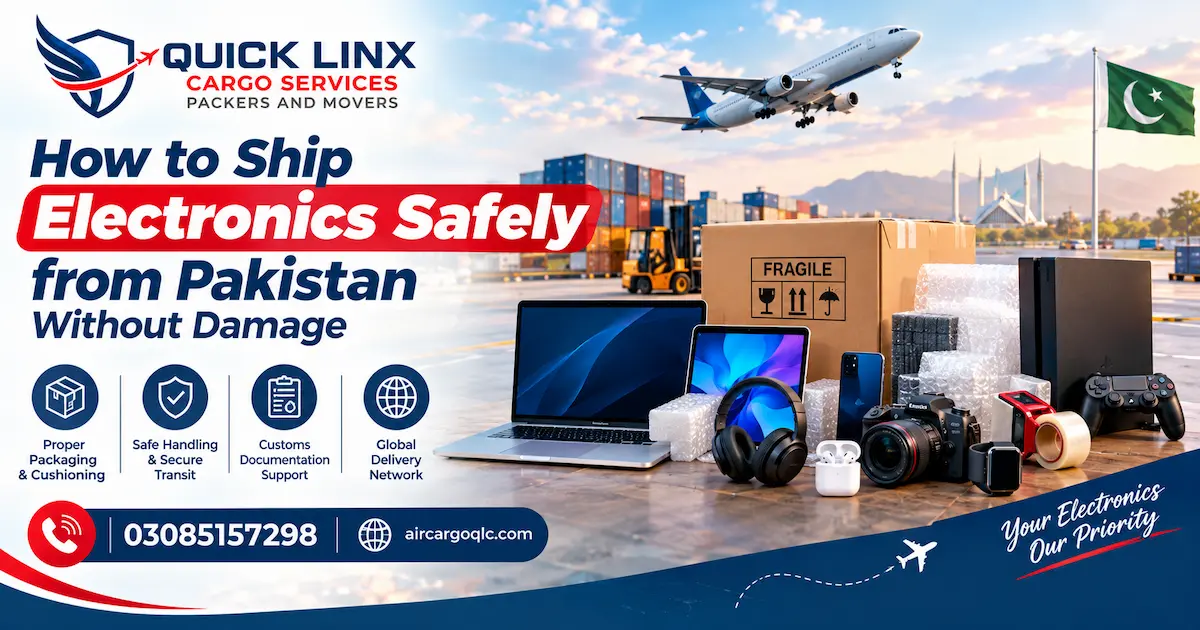
Sending a laptop, phone, camera or TV overseas is stressful. These items are fragile, expensive, and often full of personal data. Most damage comes from poor packing, not bad luck. This guide from Air Cargo QLC shows you how to prepare, pack and book electronics shipments from Pakistan so they arrive in one piece.
Why Electronics Get Damaged in Transit
Cargo goes through many hands before it reaches the receiver. Boxes are loaded, stacked, moved between trucks and aircraft, and sometimes dropped. A gadget that feels safe on your table can take a hard knock on the way. Knowing what causes damage helps you prevent it, and most of it is preventable with the right materials and a little time.
The Most Common Causes of Damage
Most electronics claims come from a short list of problems. Check your own packing against these points before you seal the box.
- Thin or reused boxes that crush under weight
- Too much empty space, so the device slides around
- Screens and ports pressed against the box wall
- Loose cables and chargers scratching the device
- Moisture from rain or humid storage
- Batteries left connected or packed loosely
Why Lithium Batteries Need Extra Care
Laptops, phones, tablets and cameras use lithium batteries. Carriers treat these batteries as dangerous goods because a damaged or short-circuited battery can overheat. That is why rules for batteries are stricter than for the device itself. The rules also change by airline, destination and battery size. Tell your cargo company about every battery in the shipment before booking, so the right packing and paperwork can be arranged early.
How to Prepare Your Electronics Before Packing
Good packing starts before the box comes out. A few simple checks protect both the device and your data. They also give you proof of what you sent if a problem comes up later. Spend ten minutes on each item and the packing stage becomes much easier.
Back Up Your Data and Power Down
Copy your files to a cloud account or an external drive. Sign out of accounts and turn off tracking features if you will not be with the device. Then shut the device down fully. Do not use sleep mode, because a device that wakes up inside a box can overheat or drain its battery.
Record Model Numbers and Take Photos
Write down the brand, model and serial number of each item. Take clear photos of the device from all sides, including any existing scratches. Keep these records with your invoice. If you ever need to make an insurance claim, this proof of condition makes the process much smoother.
Remove Loose Parts and Secure the Rest
Take out ink cartridges, toner, discs, memory cards and SIM cards. Wrap each cable and charger separately, then tie them neatly. Put small accessories in a zip bag and tape it inside the box. Loose parts can scratch screens or damage ports when the box moves.
Step-by-Step Guide to Packing Electronics Safely
The goal is simple: the device should not move, should not touch the box wall, and should be protected from pressure and static. Use the original packaging if you still have it. If not, follow the steps below. Each layer adds protection, so do not skip any of them.
Packing Materials You Will Need
Gather your materials first so you do not rush the job.
- Anti-static bags or anti-static bubble wrap
- Regular bubble wrap or foam sheets
- A strong double-walled cardboard box
- Packing tape (not thin office tape)
- Filler such as foam or packing paper
- Fragile and This Side Up labels
Wrap, Cushion and Double-Box
Follow these steps in order.
- Place the device in an anti-static bag or wrap it in anti-static bubble wrap.
- Add a second layer of bubble wrap and tape it in place.
- Put the wrapped item inside a snug box, leaving about two inches of space on every side.
- Fill the gaps with foam or packing paper until nothing moves when you shake the box gently.
- Place this box inside a larger box with more cushioning around it. This is called double-boxing.
- Seal both boxes with tape in an H pattern across the top and bottom, then add labels.
How to Pack Specific Devices
Different devices need slightly different care. Here are the basics for the most common ones.
Laptops and Tablets
Close the lid and place a sheet of soft foam or cloth over the screen. Wrap the device in anti-static material and keep it flat, never on its edge. Pack the charger separately.
Mobile Phones
Use a protective case, cover the screen with bubble wrap, and pack the phone in its original box if you have it. Remove the SIM card and any memory card first.
TVs and Monitors
Screens are the most fragile items. Cover the front with foam or cardboard, wrap the whole unit, and use a box made for that screen size. For large screens, ask about wooden crating.
Which Electronics Have Shipping Restrictions?
Not every electronic item ships the same way. Some need extra checks, and some are not accepted by air at all. The table below gives a general idea. Rules change often, so always confirm the latest requirements with us before you pack.
| Item | What to check before shipping |
| Laptops and tablets | Battery should stay installed; declare on the invoice |
| Mobile phones | Declare model and value; new or used status must be clear |
| Power banks | Often restricted by air; confirm before booking |
| Loose spare batteries | Strict limits; may not be accepted |
| Cameras and drones | Battery rules apply; some destinations need approval |
| TVs and monitors | Need strong packing or crating; check size limits |
| Printers | Remove ink and toner; pack cartridges separately |
Batteries and Power Banks
Lithium batteries fitted inside a device are usually easier to ship than loose ones. Spare batteries and power banks face stricter limits, especially by air. If you are unsure, do not hide them in the box. Declare them and let the cargo team advise you on the correct method.
Used and Refurbished Devices
Used electronics are common in personal shipments, but they must be declared honestly as used. Some destinations ask for extra clearance or proof of ownership for second-hand devices. A wrong description can lead to delays, extra charges or seizure of the goods at customs.
Air Cargo or Sea Cargo for Electronics?
Both options work for electronics, but they suit different needs. Air is faster and involves fewer handling stages. Sea is cheaper for heavy or bulky items but takes much longer. Your choice depends on value, urgency and size. For a full comparison, read our guide on air cargo vs sea cargo from Islamabad.
| Destination | Air Cargo (per KG) | Sea Cargo (per KG) |
| Dubai / UAE | PKR 1,200–1,800 (3–6 days) | PKR 500–700 (15–25 days) |
| Qatar | PKR 1,500–2,000 (4–7 days) | PKR 600–800 (20–30 days) |
| Saudi Arabia | PKR 1,800–2,200 (4–7 days) | PKR 700–900 (20–30 days) |
| UK / Italy / Europe | PKR 2,500–3,500 (5–8 days) | PKR 600–1,200 (30–45 days) |
| USA | PKR 3,000–4,000 (5–10 days) | PKR 1,200–1,800 (35–50 days) |
| Australia | PKR 3,000–4,000 (6–10 days) | PKR 1,400–2,000 (35–50 days) |
These are approximate rates. Final cost depends on weight, packing and shipment details, so please confirm on our pricing page or with our team.
When Air Cargo Makes Sense
Choose air for laptops, phones, cameras and other high-value or time-sensitive items. Shorter transit means less time in warehouses and fewer chances of damage. If you are sending only a few devices, our air cargo service is usually the safer and simpler choice.
When Sea Cargo Works
Sea freight suits large, heavy or non-urgent loads, such as several TVs or household appliances moving with a full relocation. Packing must be stronger because of the longer journey and moisture risk. For smaller loads, LCL sea cargo lets you share container space and pay only for what you send.
Documents You Need for Electronics Shipments
Paperwork matters as much as packing. Missing or incorrect documents are a common reason for customs delays, and a delayed shipment is more exposed to handling and storage risks. Prepare your papers before pickup so nothing holds the shipment up. Requirements differ by destination, so our team will confirm the exact list for your route.
Basic Document Checklist
Most electronics shipments need the following.
- A copy of your CNIC or passport
- A detailed invoice or item list with value, brand and model
- Proof of purchase for used items, where available
- Packing list showing what is in each box
- Receiver details, including address and phone number
- Any approval or certificate the destination requires
Why Insurance and Professional Packing Are Worth It
Even careful packing cannot remove every risk. Insurance covers the gap, and professional packing lowers the chance of a claim in the first place. For expensive devices or business stock, both are worth considering. Together they give you protection before the shipment leaves and support if something goes wrong.
Cargo Insurance for High-Value Items
Insurance is useful when the value of the goods is high compared with the shipping cost. Keep your invoice, photos and serial numbers, since these support any claim. Ask about insurance when you book, not after the goods have left.
Professional Packing and Wooden Crating
Large screens, printers, servers and fragile equipment often need more than a cardboard box. Our packing and moving services include packaging and wooden crating, so heavy or delicate items can be protected properly before they travel.
Common Mistakes to Avoid When Shipping Electronics
Most electronics problems come from a few repeated errors. Avoiding them costs nothing and can save you a lot of trouble at customs and on arrival.
- Reusing old, weak boxes
- Leaving empty space inside the box
- Packing a device that is still switched on
- Hiding batteries or power banks in the shipment
- Under-declaring the value to reduce charges
- Skipping insurance on expensive items
- Booking without checking destination rules
If you are new to international shipping, our step-by-step post on how to send air cargo from Islamabad explains the full booking process.
Ship Your Electronics with Air Cargo QLC
Air Cargo QLC ships from Islamabad and Rawalpindi to Dubai/UAE, the UK, the USA, Saudi Arabia, Qatar, Italy/Europe and Australia. With years of experience in international logistics, our team can advise on packing, battery rules, documents and the right shipping method for your items. Tell us what you are sending and where, and we will guide you on the safest option. To get a quote, contact our team or call 03085157298
Frequently Asked Questions About Shipping Electronics from Pakistan
How much does it cost to ship electronics from Pakistan?
Cost depends on weight, destination, packing and shipping method. Approximate per-KG rates are listed above, but prices can change, so please confirm a current quote before shipping.